GitHub Root Cause Analysis
Automated GitHub issue analysis using Caret CLI. This script uses Caret's autonomous AI capabilities to fetch, analyze, and identify root causes of GitHub issues, outputting clean, parseable results that can be easily integrated into your development workflows.
Note
New to Caret CLI? This sample assumes you have already completed the Installation Guide and authenticated with caret auth. If you haven't set up Caret CLI yet, please start there first.
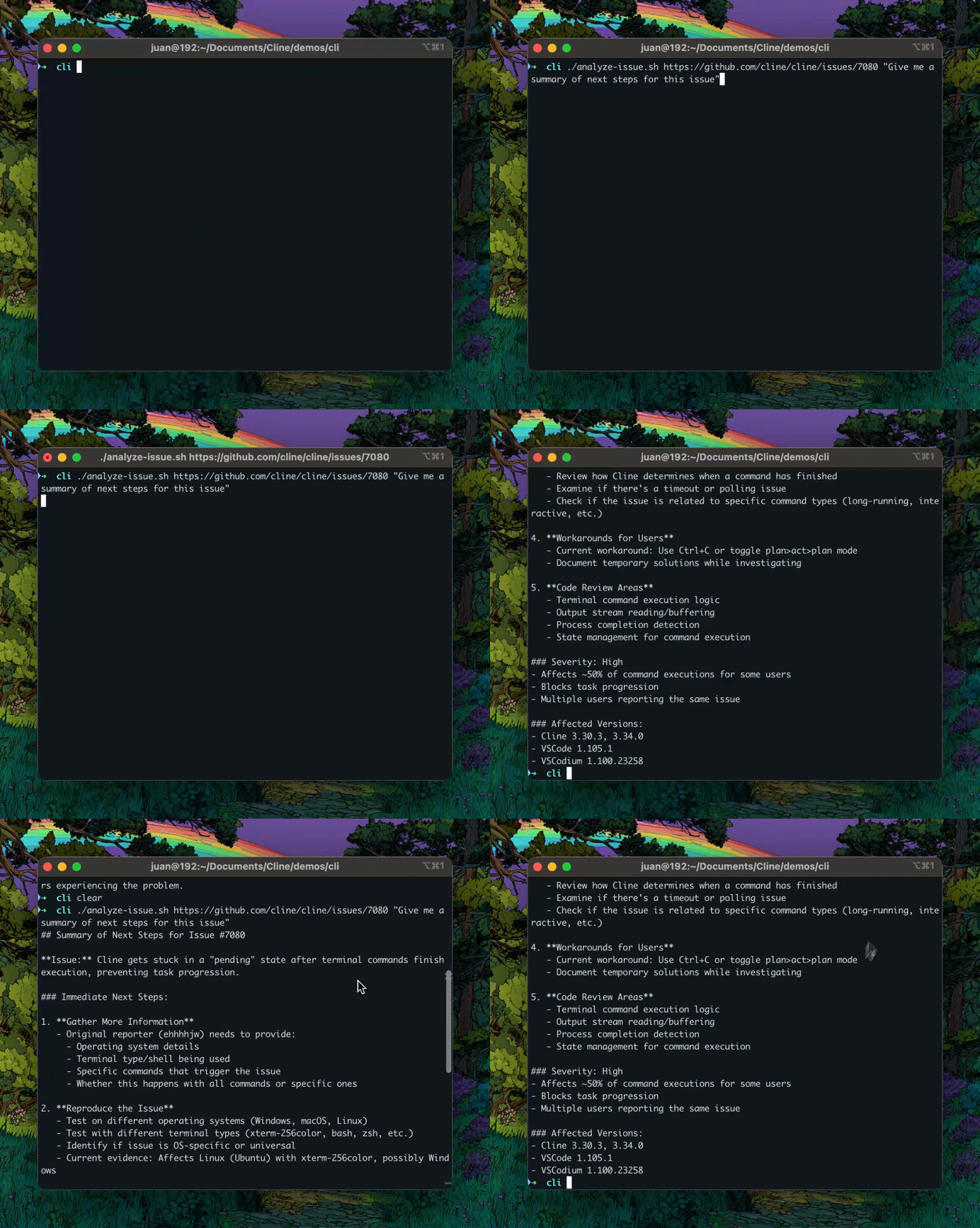
Prerequisites
This sample assumes you have already:
- Caret CLI installed and authenticated (Installation Guide)
- At least one AI model provider configured (e.g., OpenRouter, Anthropic, OpenAI)
- Basic familiarity with Caret CLI commands
Additionally, you'll need:
- GitHub CLI (
gh) installed and authenticated - jq installed for JSON parsing
- bash shell (or compatible shell)
Installation Instructions
macOS
Note
These instructions require Homebrew to be installed. If you don't have Homebrew, install it first by running:
/bin/bash -c "$(curl -fsSL https://raw.githubusercontent.com/Homebrew/install/HEAD/install.sh)"
# Install GitHub CLI
brew install gh

# Install jq
brew install jq

# Authenticate with GitHub
gh auth login
Linux
# Install GitHub CLI (Debian/Ubuntu)
sudo apt install gh

# Or for other Linux distributions, see: https://cli.github.com/manual/installation

# Install jq (Debian/Ubuntu)
sudo apt install jq

# Authenticate with GitHub
gh auth login
Getting the Script
Option 1: Download directly with curl
curl -O https://raw.githubusercontent.com/caret/caret/main/src/samples/cli/github-issue-rca/analyze-issue.sh
Option 2: Copy the full script
Click to view the complete analyze-issue.sh script
#!/bin/bash
# Analyze a GitHub issue using Caret CLI

if [ -z "$1" ]; then
    echo "Usage: $0 <github-issue-url> [prompt] [address]"
    echo "Example: $0 https://github.com/owner/repo/issues/123"
    echo "Example: $0 https://github.com/owner/repo/issues/123 'What is the root cause of this issue?'"
    echo "Example: $0 https://github.com/owner/repo/issues/123 'What is the root cause of this issue?' 127.0.0.1:46529"
    exit 1
fi

# Gather the args
ISSUE_URL="$1"
PROMPT="${2:-What is the root cause of this issue?}"
if [ -n "$3" ]; then
    ADDRESS="--address $3"
fi

# Ask Caret for its analysis, showing only the summary
caret -y "$PROMPT: $ISSUE_URL" --mode act $ADDRESS -F json | \
    sed -n '/^{/,$p' | \
    jq -r 'select(.say == "completion_result") | .text' | \
    sed 's/\\n/\n/g'
Note
After downloading or creating the script, make it executable by running:
chmod +x analyze-issue.sh
Quick Usage Examples
Basic Usage
Run this command in your terminal from the directory where you saved the script to analyze an issue with the default root cause prompt:
./analyze-issue.sh https://github.com/owner/repo/issues/123
This will:
- Fetch issue #123 from the repository
- Analyze the issue to identify root causes
- Provide detailed analysis with recommendations
Custom Analysis Prompt
Ask specific questions about the issue:
./analyze-issue.sh https://github.com/owner/repo/issues/456 "What is the security impact?"
Using Specific Caret Instance
Target a particular Caret instance by address:
./analyze-issue.sh https://github.com/owner/repo/issues/123 \
    "What is the root cause of this issue?" \
    127.0.0.1:46529
Warning
This is useful when:
- Running multiple Caret instances
- Using a remote Caret server
- Testing with specific configurations
Note
The script will automatically handle everything: fetching the issue, analyzing it with Caret, and displaying the results. The analysis typically takes 30-60 seconds depending on the issue complexity.
How It Works
Let's analyze each component of the script to understand how it works.
Argument Validation
The script validates input and provides usage instructions:
if [ -z "$1" ]; then
    echo "Usage: $0 <github-issue-url> [prompt] [address]"
    echo "Example: $0 https://github.com/owner/repo/issues/123"
    echo "Example: $0 https://github.com/owner/repo/issues/123 'What is the root cause?'"
    echo "Example: $0 https://github.com/owner/repo/issues/123 'Analyze security impact' 127.0.0.1:46529"
    exit 1
fi
Key Points:
- Validates required GitHub issue URL
- Shows clear usage examples
- Supports optional custom prompt
- Supports optional Caret instance address
Argument Parsing
The script extracts and sets up the arguments:
# Gather the args
ISSUE_URL="$1"
PROMPT="${2:-What is the root cause of this issue?}"
if [ -n "$3" ]; then
    ADDRESS="--address $3"
fi
Explanation:
ISSUE_URL="$1"- First argument is always the issue URLPROMPT="${2:-...}"- Second argument is optional, defaults to root cause analysisADDRESS- Third argument is optional, only set if provided
The Core Analysis Pipeline
This is where the magic happens:
# Ask Caret for his analysis, showing only the summary
caret -y "$PROMPT: $ISSUE_URL" --mode act $ADDRESS -F json | \
    sed -n '/^{/,$p' | \
    jq -r 'select(.say == "completion_result") | .text' | \
    sed 's/\\n/\n/g'
Pipeline Breakdown: Understanding Each Component
1. caret -y "$PROMPT: $ISSUE_URL"
-yenables yolo mode (no user interaction)- Constructs prompt with issue URL
2. --mode act
- Enables act mode for active investigation
- Allows Caret to use tools (read files, run commands, etc.)
3. $ADDRESS
- Optional address flag for specific instance
- Expands to
--address <ip:port>if set
4. -F json
- Outputs in JSON format for parsing
5. sed -n '/^{/,$p'
- Extracts JSON from output
- Skips any non-JSON prefix lines
6. jq -r 'select(.say == "completion_result") | .text'
- Filters for completion result messages
- Extracts the text field
-routputs raw strings (no JSON quotes)
7. sed 's/\\n/\n/g'
- Converts escaped newlines to actual newlines
- Makes output readable
Sample Output
Here's an example analyzing a real Flutter issue:
$ ./analyze-issue.sh https://github.com/csells/flutter_counter/issues/2
Output:
**Root Cause Analysis of Issue #2: "setState isn't cutting it"**

After examining the GitHub issue and analyzing the Flutter counter codebase,
I've identified the root cause of why setState() is insufficient for this
project's needs:

## Current Implementation Problems

The current Flutter counter app uses setState() for state management, which
has several limitations:

1. **Local State Only**: setState() only works within a single widget, making
   it difficult to share state across the app
2. **Rebuild Overhead**: Every setState() call rebuilds the entire widget tree,
   causing performance issues with complex UIs
3. **No State Persistence**: State is lost when the widget is disposed
4. **Testing Challenges**: setState-based logic is tightly coupled to the UI,
   making unit testing difficult

## Why This Matters

As the app grows beyond a simple counter, these limitations become critical:
- Multiple screens need to access the count
- State needs to persist across navigation
- Business logic should be testable independently
- UI should only rebuild when necessary

## Recommended Solutions

The issue mentions "Provider or Bloc" - both are excellent alternatives:

1. **Provider**: Simple, lightweight state management using InheritedWidget
   - Easy migration path from setState
   - Good for small to medium apps
   - Official Flutter recommendation

2. **Bloc**: More structured approach with clear separation between events,
   states, and business logic
   - Better for complex apps
   - Excellent testability
   - Clear architectural patterns

3. **Riverpod**: Modern alternative to Provider with better performance and
   developer experience
   - Compile-time safety
   - Better testing support
   - More flexible than Provider

4. **GetX**: Full-featured solution with state management, routing, and
   dependency injection
   - Minimal boilerplate
   - Fast and lightweight
   - All-in-one solution

## Next Steps

The current codebase needs refactoring to implement proper state management
architecture to handle more complex state scenarios effectively. Provider
would be the easiest migration path while Bloc provides better long-term
scalability.
When to Use This Pattern
This script pattern is ideal for various development scenarios where automated GitHub issue analysis can accelerate your workflow.
Bug Investigation
Quickly analyze bug reports and identify root causes without manual code exploration:
./analyze-issue.sh https://github.com/project/repo/issues/123 \
    "What is the root cause of this bug?"
Feature Request Analysis
Understand context and implications of feature requests:
./analyze-issue.sh https://github.com/project/repo/issues/456 \
    "What are the implementation challenges?"
Security Audits
Assess security implications of reported issues:
./analyze-issue.sh https://github.com/project/repo/issues/789 \
    "What are the security implications?"
Documentation Generation
Generate detailed technical documentation from issues:
./analyze-issue.sh https://github.com/project/repo/issues/654 \
    "Provide detailed technical documentation for this issue"
Code Review Assistance
Get second opinions on proposed changes:
./analyze-issue.sh https://github.com/project/repo/issues/987 \
    "Review the proposed solution approach"
Conclusion
This sample demonstrates how to build an autonomous GitHub issue analysis tool using Caret CLI:
- Building autonomous CLI tools using Caret's capabilities
- Parsing structured JSON output from Caret CLI
- Creating flexible automation scripts with custom prompting
- Integrating with GitHub for issue analysis
- Handling command-line arguments effectively
This pattern can be adapted for many other automation scenarios, from pull request reviews to documentation generation to code quality analysis.